Steam Frame Verified explained: badges and Quest games (2026)

Valve opened reservations for Steam Frame on September 14, 2026, at $1,059 for the 256GB model and $1,299 for the 1TB model, with the first purchase emails set for September 18, 2026. On the Steam store, Valve sorts games into four Frame compatibility badges, and they answer one question: will this game run well on the headset with no PC attached? This guide explains each badge in Valve’s own words, the frame rate and resolution rules behind them, where to find the rated games, and which VR games you may already own on Quest are Verified.
What Steam Frame Verified covers in 2026
Steam Frame is two devices in one. Valve’s developer documentation describes it as “primarily designed for high quality game streaming from a PC”, but also “a full PC running SteamOS” that can run games “entirely on the headset, not connected to anything” (Steamworks: Steam Frame Standalone Compatibility Review Process).
The badges only describe that second, standalone mode. The same Valve page says: “This review process only applies for games (both 2D and VR) running locally on Steam Frame, not games running on a PC streamed to Frame.” A game with a poor badge can still be streamed from a gaming PC, and Valve adds that a review result “will not affect whether your game is available to customers on Frame, but will affect how it is presented.”
Valve calls the program Steam Frame Standalone Verified and describes it as “a direct extension of the existing Steam Deck Compatibility Review process.” Valve reviews each game, the developer gets point-by-point results before they are published, and the badge then appears in the Steam store and in your library.
Verified, Playable, Unsupported and Unknown: the four badges
Here is how Valve defines each badge on the compatibility review page:
| Badge | Valve’s definition |
|---|---|
| Verified | “Your game passes all compatibility checks. No configuration work is required for users to access all game functionality.” |
| Playable | “Your game functions on Frame, but may require manual work from the user.” Valve’s examples: picking a community controller configuration, opening the on-screen keyboard yourself, or “tweaking in-game settings to meet minimum performance requirements.” |
| Unsupported | “Your game does not function on Frame due to incompatibility with Proton or specific hardware components.” |
| Unknown | “This game has not completed the compatibility review process. Information about how the game will play on Frame is unavailable.” |
Unknown does not mean a game fails. It means the game has not finished Valve’s review.
The frame rate and resolution rules for VR games
Valve applies “the same test criteria” to VR and non-VR games: the default graphics settings must perform well, text must be legible on the built-in display, and the default controls must work with the Steam Frame Controllers. The performance bar on the compatibility page, as it read on November 12, 2026:
- VR games: “a minimum of 72 fps at 1728x1728 during normal play.”
- 2D games: “a minimum 30 fps at 1280x720 during normal play.”
- The floor: “VR games below 1440x1440 will appear with an Unsupported badge.”
Those VR numbers match what the headset does by default. Valve’s guide to suggested game settings says that unless a developer sets otherwise, SteamVR on Frame uses 1728x1728 per eye and 72 Hz. Valve’s Performance Assessment overlay documentation adds the middle step: a VR game that holds the frame rate but only reaches an “adequate” resolution qualifies for Playable rather than Verified.
The 1440x1440 floor may no longer be the whole story. Valve’s SteamOS 0.3.0 release notes from September 17, 2026 list “Change Playable performance criteria to allow any resolution (was: 1440p).” MIXED pointed out on September 18, 2026 that this contradicts the compatibility page, and the page still carried the 1440x1440 line on November 12, 2026. The 72 fps at 1728x1728 bar for Verified is the same in both sources.
Controls and other checks
A Verified VR game must also:
- show Frame’s own controllers if it draws controller models in the game,
- let you reach all content with the default controller setup, without changing in-game settings,
- show Frame or Xbox button names on screen, not keyboard and mouse prompts,
- not warn you that Frame’s software or hardware is unsupported, and keep any launcher fully usable with a controller.
These rules come from the same Frame Compatibility Checklist. Valve says most failures here lead to a Playable badge, while bugs or performance problems specific to Proton, the layer that runs Windows games on Frame’s Linux system, lead to Unsupported, and Valve retests the game once the issues are fixed.
Where to find Verified games: Great on Frame and Steam search
Valve collects Verified games on its Great on Frame store hub. Road to VR reported on September 16, 2026 that the hub began in July 2026 with about half a dozen titles and had grown past 130 games and apps, with flat games making up around half. MIXED counted 143 Verified games on September 18, 2026, 63 of them VR.
The list has grown since then. To see only VR games, open Steam’s search with the Frame Verified and VR filters set: Steam Frame Verified VR games. On November 12, 2026, that search returned just under 100 results, a mix of VR-only games and games with an optional VR mode. Swap the 3 in the link for a 2 to see Playable VR games, a much shorter list that included Tetris Effect: Connected and Arca’s Path VR on that date.
Steam’s full Frame Verified search, without the VR filter, also lists flat games that Frame plays on a virtual screen. On November 12, 2026, its first page included Hollow Knight: Silksong, Hades II, Balatro and Portal 2.
Quest games you already know that are Verified on Steam Frame
Many of the Verified VR games are ones Quest owners will recognize. Each game below appeared in Steam’s Frame Verified VR search on November 12, 2026. The links go to each game’s VRDB page for its Quest version.

Rhythm, boxing and fitness
- Beat Saber
- Synth Riders
- Pistol Whip
- Thumper
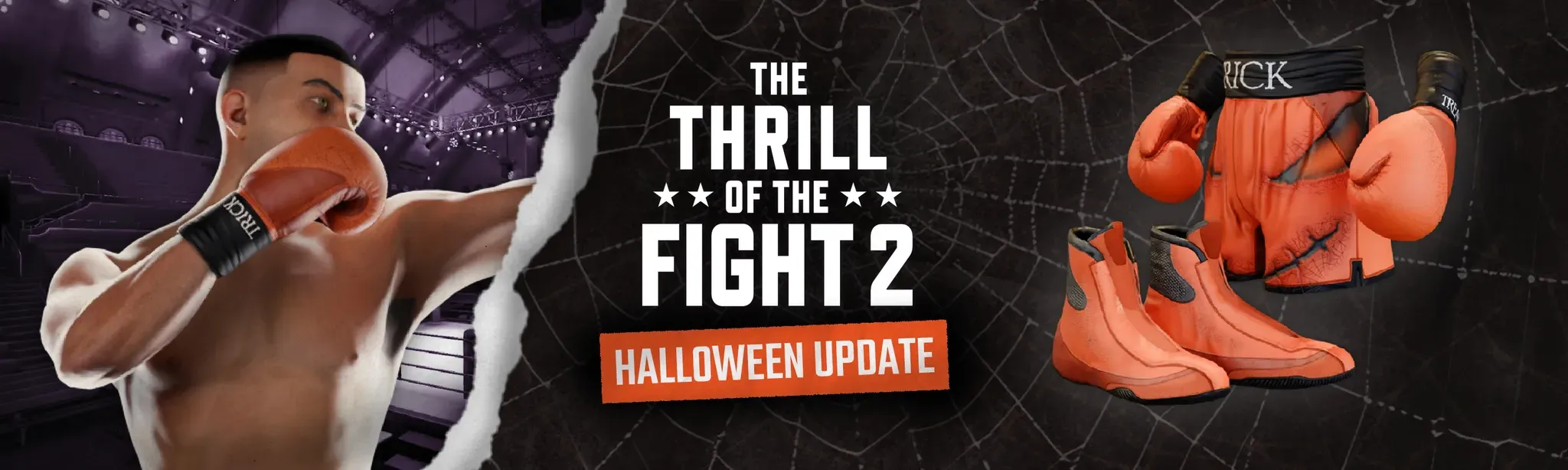
- The Thrill of the Fight 2 and the original The Thrill of the Fight
Multiplayer and sports
- Gorilla Tag
- Walkabout Mini Golf (Walkabout Mini Golf VR on Steam)
- Eleven Table Tennis
- RUMBLE
- VAIL
- Forefront
- PAYDAY: Aces High
- Dungeons of Eternity
- Keep Talking and Nobody Explodes
Adventure and puzzle
- Red Matter and Red Matter 2
- Moss and Moss: Book II (Moss VR and Moss II VR on Steam)
- I Expect You To Die, I Expect You To Die 2 and I Expect You To Die 3
- The Room VR: A Dark Matter
- The Last Clockwinder
- Cubism
- Escape Simulator
- Little Nightmares VR: Altered Echoes
- Puzzling Places
- Job Simulator and Vacation Simulator
- Waltz of the Wizard
- Real VR Fishing
Action and shooters
- Arizona Sunshine Remake and Arizona Sunshine 2 (Arizona Sunshine VR Remake and Arizona Sunshine VR 2 on Steam)
- GORN 2
- SUPERHOT VR
- The Light Brigade: Definitive Edition
- Into Black
- UNDERDOGS
- Ancient Dungeon
- HARD BULLET
The badges belong to the Steam versions of these games. Steam Frame runs games from your Steam library, so what counts is whether you own a game on Steam, not on the Meta Horizon Store.
Why so many Quest games run on Frame without a PC
Frame runs on a Snapdragon 8 Gen 3 chip, and Valve’s page on what games can run standalone on Steam Frame lists three ways it runs games built for other systems: Proton for Windows games, FEX for x86 code, and Lepton, a layer that “allows Android games to run on Linux.” Valve writes that for VR developers who have already made “a mobile optimized version of their game for other hardware (typically Android Arm64), we think it makes sense to run that version on Steam Frame.”
Quest headsets share that Android foundation: Meta’s developer documentation says “Meta Horizon OS is built on AOSP”, the Android Open Source Project. It fits what MIXED observed on September 18, 2026: Frame’s Verified VR list “leans heavily on Quest favourites.”
Big VR games without a Verified badge yet
Some of the best-known PC VR games are not on the list. MIXED found on September 18, 2026 that Half-Life: Alyx, VRChat, BONELAB and Skyrim VR had no Frame badge, while Valve’s own The Lab and Blade & Sorcery were rated Unsupported for standalone play.
Half-Life: Alyx shows why Unknown is not a verdict. According to the same MIXED report, Valve added standalone Steam Frame support to the game in its September 14, 2026 update, even though the game had no badge. Engadget reported that every Steam Frame comes with a voucher for a version of Alyx rebuilt to run on the headset.
For games that are Unknown or Unsupported, streaming from a gaming PC remains the route. VRDB’s guide to playing PC VR games on a Quest covers how streaming works on Meta’s headsets.
What the badges mean if you own a Quest
If you are a Quest owner thinking about Steam Frame as a second headset, the Verified list tells you which Steam games run on it with no PC. Many of the VR games on it are also on Quest, so check the list against the games you play most. Everything else in your Steam library can still be streamed from a gaming PC, which the badges do not rate. VRDB’s earlier Steam Frame overview from February 3, 2026 covers the hardware, written before launch. For current Quest discounts, see VRDB’s on-sale page, and for the Meta store’s best sellers, see the charts.
