How to Watch Netflix, Disney+ and YouTube on a Quest in 2026

A Quest headset doubles as a large private screen, but every streaming service handles it differently. Some have a Quest app in the Meta Horizon Store, Netflix runs only in the Quest Browser, and seven more apps are still listed as coming soon. This guide covers where each service lives as of November 10, 2026, and what to change to get the best picture from it.
Which streaming apps are on Meta Quest in 2026
| Service | How to watch | Best picture the source states | VRDB rating on November 10, 2026 |
|---|---|---|---|
| Disney+ | Quest app | Dolby Vision on select titles (US) | 2.9 from 246 ratings |
| Amazon Prime Video | Quest app | 1080p, with downloads | 2.1 from 633 ratings |
| YouTube | Quest app | 4K movies and shows, 8K video on Quest 3 | 3.7 from 5.3K ratings |
| Peacock | Quest app, US only | Not stated | 3.3 from 55 ratings |
| Twitch | Quest app | Not stated | 2.7 from 194 ratings |
| Netflix | Quest Browser | 1080p | No Quest app |
| HBO Max | Coming Soon | 2D, per its listing | Not released |
| Paramount+ | Coming Soon | Not stated | Not released |
VRDB lists all five released apps as free to download; you need a subscription to the service itself.
Meta Horizon TV: the hub for your streaming apps
Meta announced Meta Horizon TV at Connect on September 17, 2025, as an entertainment hub for movies, TV, live sports and music. Meta’s help page for the TV app says it comes preinstalled on all Quest headsets and needs Horizon OS v79 or later. Open it and you see a row of supported services under the featured banner: pick one, and the hub either installs that service’s app or opens it if you already have it. Some providers, Netflix among them, open a browser window instead. Title pages list which services carry a show and its playback format (for example 180° or 360°), and you can add titles to a watchlist.
The TV app also carries its own content. In October 2026, Meta’s What to Watch roundup listed ESPN’s immersive college football games, with 180-degree views and 8K streaming, at no extra cost in the TV app, alongside MLB and NBA highlights. On Quest 3 and 3S, a Meta help page describes renting and buying movies in the TV app, with 48-hour rentals that show up under My Items.
Streaming apps on Quest: Disney+, Prime Video, YouTube, Peacock and Twitch
Disney+

Disney+ arrived on Quest on December 15, 2025, according to its VRDB page, which lists Quest 3, Quest 3S and Quest 2. Meta’s launch post says US subscribers can watch select titles in Dolby Vision HDR in the headset, and that Dolby Atmos sound and downloads on up to 10 devices come with a Disney+ Premium plan. The same post says all Disney+ subscribers get a limited selection of Hulu and ESPN content, and that full access means bundling those services. The app’s store listing says select titles will be viewable in 3D in exclusive Disney+ environments, and that you must be on the latest Horizon OS.
Amazon Prime Video
Amazon Prime Video has had its current Quest app since September 25, 2024. Its store listing names offline downloads, multiple user profiles and IMDb-powered X-Ray. UploadVR reported at launch that it plays at 1080p and runs as a 2D window, so you can place it in passthrough or in your Horizon Home environment.
YouTube

YouTube ranked first on the Meta store’s Most Popular chart on November 10, 2026, as its VRDB page shows. Google’s listing says it plays standard videos, Shorts and 360-degree video with spatial audio, plays movies and shows in up to 4K, and plays 8K video on “Quest 3+ only”. It supports mixed reality, and you can host a watch party to see videos with friends in VR or MR.
Peacock
Peacock launched on Quest on April 12, 2023. Its listing limits use of the app to the United States and its territories, and it carries live sports, Peacock Originals and more than 50 channels. When it launched, Meta’s newsroom post noted you can resize the screen up to full theater size and keep it playing while you use other apps.
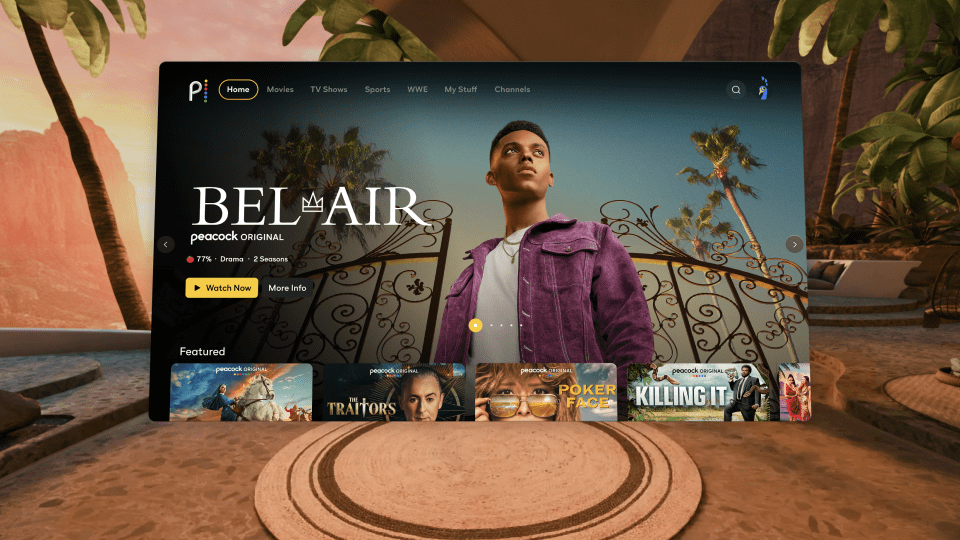
Image: Meta, from the Meta newsroom.
Twitch
The official Twitch app launched on Quest on September 25, 2024, per its VRDB page. Meta’s Connect 2024 recap pointed to it alongside the new Prime Video app and said you can log in with your Twitch account to watch your favorite creators. Its store listing mentions subscribing to streamers and a dark mode, and its VRDB page lists support for controllers, hand tracking, a gamepad and a tracked keyboard.
How to watch Netflix on a Quest: the Quest Browser
Netflix has no Quest app. Its help center says you watch it in the Meta Quest Browser, version 32 or later, on Quest 2, Quest Pro, Quest 3 and Quest 3S, at up to Full HD (1080p). On July 16, 2024, UploadVR reported that the old Netflix VR app was no longer available and that the browser had officially replaced it, so ignore any guide that still points to the app. Go to netflix.com in the browser, sign in, and play.
Two limits apply. Netflix’s download feature works only in its app on phones, tablets and Chromebooks with the Google Play Store, so you cannot save Netflix shows for offline viewing on a Quest. And the 1080p ceiling only applies if your plan includes it: Netflix’s plans page lists 1080p for Standard with ads and Standard, and 4K for Premium, but Netflix caps Quest at 1080p, so Premium adds nothing to the picture in the headset.
Coming soon to Quest: HBO Max, Paramount+, Crunchyroll, ESPN, AMC+, HIDIVE and Shudder
VRDB’s upcoming page, which lists the Meta store’s “Coming soon & pre-orders” section, shows seven more streaming apps with store pages. None has a release day yet: four have a month or season, and three have no date at all. On November 10, 2026, it listed:
| App | Window on VRDB’s upcoming page | What its listing offers |
|---|---|---|
| HBO Max | December 2026 | HBO, DC and Discovery shows and films, streamed in 2D |
| Paramount+ | December 2026 | Originals, films, CBS and Nickelodeon shows, live sports |
| Crunchyroll: Anime Streaming | Winter 2026 | Anime series and films, subbed and dubbed |
| ESPN | Spring 2027 | NFL, NBA, MLB, NHL, college sports and ESPN shows |
| AMC+ | No date given | Original series, films and The Walking Dead universe |
| HIDIVE | No date given | Anime simulcasts and dubs |
| Shudder | No date given | A curated horror library |
Each app’s own VRDB page still reads “Coming Soon” in its release date field; the month or season comes from the upcoming page. HBO Max’s page records that it was first seen on the store on November 5, 2026. AMC+, HIDIVE and Shudder all come from AMC Global Media, and their VRDB pages give each an Adults Only 18+ age rating. Until the ESPN app arrives, Disney+ subscribers get a limited selection of ESPN content in the Disney+ app, per Meta’s Disney+ launch post, and Meta’s October 2026 roundup listed ESPN’s immersive college football in the TV app.
Store windows can move, so check the upcoming page before planning around one.
How to get the sharpest picture on Quest 3 and 3S
The headset sets the ceiling. Meta’s developer device comparison lists 2064 x 2208 pixels per eye for Quest 3 and 1832 x 1920 for Quest 3S, which works out to 25 and 20 pixels per degree. Meta’s Quest 3S announcement also notes Quest 3’s pancake lenses and wider field of view. If you mainly want a sharp screen for films, that gap is worth weighing before you buy; VRDB’s Quest 3 page has the full spec sheet.
Within that ceiling, these settings matter:
- Use each service’s best path. Netflix tops out at 1080p in the browser; YouTube’s app goes to 4K for films and 8K for video on Quest 3; Disney+ adds Dolby Vision on select titles for US subscribers.
- Check your plan. Netflix needs Standard with ads or higher for 1080p. Disney+ keeps Dolby Atmos and downloads for Premium.
- Check your connection. Netflix’s speed guide recommends a stable 5 Mbps or more for 1080p.
- Download before you travel. Prime Video and Disney+ Premium let you save shows, so playback does not depend on hotel or plane Wi-Fi.
Focus mode, Theater mode and passthrough for watching video on Quest
Most streaming apps on Quest are 2D windows, so you choose what surrounds them. Meta’s help page on moving and adjusting windows describes Focus mode: open More options to the left of the control bar under a window and select Focus. The window grows, your surroundings dim, and you can switch between a curved and a flat screen and adjust how dark the room gets. You can also drag a window’s corner to resize it.
Windows also work in passthrough, so you can watch while still seeing your room. YouTube’s VRDB page lists mixed reality support, UploadVR’s launch report confirms Prime Video runs in passthrough, and Meta’s Peacock launch post describes streaming while you browse or use other apps.
A dedicated Theater environment is in testing. UploadVR reported on November 6, 2026, that Horizon OS v2.10 in the Public Test Channel adds a Theater button to a window’s control bar that puts the video in a large home-theater room, and that it worked with the media player, the browser, YouTube, Disney+ and Prime Video. Public Test Channel features can change before they reach every headset.
Play your own movies and watch with friends: Skybox and Bigscreen
For video files you own, SKYBOX VR Video Player costs $9.99 on VRDB, which records a lowest tracked price of $5.99 on December 16, 2025, and it is cross-buy. Its listing names formats including AV1, MP4 and MKV, 3D side-by-side and top-bottom video, 180° and 360° video, HDR, external subtitles and USB drives. It can stream from a DLNA media server, an SMB share or its free PC client over the same Wi-Fi, so films do not need to fit on the headset. A beta build adds spatial video in MV-HEVC, per the developer updates on its VRDB page.
Bigscreen Beta is free and built for watching together. Its listing describes virtual theaters for watching 3D films with friends, YouTube watch-alongs, a player for local files in side-by-side or over-under 3D, free 24/7 TV channels, and streaming your Windows PC’s screen into the headset. Public and private rooms hold up to 30 people. It holds a 3.8 rating from 6.1K ratings on VRDB, against Skybox’s 4.4 from 4.9K.
Best way to stream TV and movies on Quest
For most Quest owners, the order is simple: open the TV app to find a show, let it hand you to the Disney+, Prime Video, Peacock or YouTube app, and use the Quest Browser for Netflix. Put the window in Focus mode for a bigger, darker screen, and download Prime Video or Disney+ Premium shows before a trip. For HBO Max, Paramount+, Crunchyroll, ESPN, AMC+, HIDIVE and Shudder, watch VRDB’s upcoming page for release days.
