Headphones on Quest 3 and 3S: Bluetooth, USB-C and Audio Delay

The Quest 3 and Quest 3S both have built-in speakers, and anyone else in the room can hear them. If you watch films in bed or play while others sleep, you want headphones. You can use almost any pair, including AirPods, but how you connect them decides whether the sound arrives on time. This guide covers Bluetooth, the Low Energy Audio setting, wired and USB-C headphones, and low-latency earbuds with a USB-C dongle, and which one to pick for films and which for rhythm and fitness games. Facts were checked on November 14, 2026.
Quest 3 vs Quest 3S: which headphone ports each headset has
The two headsets differ here. Meta’s developer device comparison lists a 3.5mm jack for the Meta Quest 3 and none for the Meta Quest 3S. Both have one USB-C port and Bluetooth 5.2.
| Quest 3 | Quest 3S | |
|---|---|---|
| 3.5mm headphone jack | Yes | No |
| USB-C headphones | Yes | Yes |
| USB-C to 3.5mm adapter | Yes | Yes |
| Bluetooth headphones | Yes (Bluetooth 5.2) | Yes (Bluetooth 5.2) |
Meta’s help page on using headphones with Meta Quest confirms that the Quest 3 takes both 3.5mm and USB-C headphones, and that the Quest 3S takes USB-C headphones and USB-C to 3.5mm adapters.
Can you use AirPods or other Bluetooth headphones with a Quest?
Yes. Meta’s help page on connecting a Bluetooth device lists Bluetooth headphones among the accessories a Quest supports. Apple’s guide to pairing AirPods with a non-Apple device says AirPods work there as a Bluetooth headset: you can listen and talk, but you cannot use Siri.
How to pair Bluetooth headphones with a Quest 3 or 3S
Meta gives these steps:
- Press the Meta button on your right controller to open the Navigator.
- Select Quick controls, then Bluetooth.
- Turn on the Bluetooth toggle.
- Put your headphones in pairing mode. For AirPods 4, AirPods 5 and AirPods Pro 3, Apple says to open the case near the headset and double-tap its front until the light flashes white; for older AirPods and AirPods Pro, hold the setup button on the back of the open case for about 5 seconds.
- Select Connect when they appear in the list.
Why Bluetooth audio is delayed on a Quest
The same Meta page carries a warning: a Bluetooth audio device “may result in delayed audio unless using a product specifically made for Meta Quest”.
How much that matters depends on what you do. MIXED, reporting in October 2024 on Meta’s plans to cut Bluetooth latency, called the delay enough to make fast-paced games and fitness apps unplayable. In the same report, Meta developer relations engineer AR Schleicher said low-latency Bluetooth features were coming with the move to Android 14.
The Low Energy Audio setting: lower latency in games
That change arrived as Bluetooth LE Audio. Meta’s release notes list LE Audio support as an experimental feature in Horizon OS version 77, which rolled out from the week of May 19, 2025. The notes say only a handful of headphone makers support it so far, that it works differently from brand to brand, and that audio quality may drop in some apps when it is on.
To turn it on, per Meta’s Bluetooth help page:
- Pair your headphones as above.
- In Bluetooth settings, select the arrow next to the headphones.
- If the Quest detects them as LE Audio compatible, a toggle for LE Audio appears. Turn it on.
Expect a few seconds of silence when you switch it on. Meta also says that when you start an immersive game you may hear a short dropout while the connection is reconfigured to low latency mode, and the headphones should reconnect within a couple of seconds. If only one earbud plays, Meta suggests turning LE Audio off and on again.
If the toggle does not appear, the Quest has not detected your headphones as LE Audio compatible. Look for “LE Audio” on the maker’s spec sheet before you buy a pair for this. Apple’s AirPods Pro 3 specifications list Bluetooth 5.3 and do not mention LE Audio, so AirPods owners should plan on the standard, delayed connection. Meta gives no latency figure for LE Audio mode, so treat it as an improvement rather than a match for a cable.
Wired headphones: the Quest 3 jack and USB-C on the Quest 3S
A cable is the dependable way to get audio in sync.
Quest 3: 3.5mm jack or USB-C
Any headphones with a 3.5mm plug work in the jack on the left side of the Quest 3. Meta’s headphones help page adds three details:
- If you plug in both 3.5mm and USB-C headphones, only the 3.5mm pair plays.
- A microphone on 3.5mm headphones does not work with the Quest 3.
- USB-C headphones do not work while the Elite strap with battery is plugged in.
Quest 3S: USB-C headphones or an adapter
With no jack, Quest 3S owners plug wired headphones into the USB-C port on the left side, which is also the charging port and the headset’s only USB-C port. That means you cannot charge through the port while wired headphones are in it, and USB-C headphones do not work while the Elite strap with battery is plugged in.
Meta lists USB-C headphones and adapters it has tested with both headsets:
- USB-C headphones: Pixel USB-C Earbuds, Samsung Type-C Headphones, OnePlus Type-C Bullets Earphones.
- USB-C to 3.5mm adapters: Google USB-C to 3.5mm adapter, Samsung USB-C Headphone Jack Adapter, Apple USB-C to 3.5mm headphone jack adapter.
Meta says other USB-C headphones and adapters may work but it cannot guarantee them. With one of the listed adapters, a 3S owner can keep using an existing pair of 3.5mm headphones.
Low-latency wireless earbuds made for Meta Quest
The product Meta’s Bluetooth page links as an example of earbuds made for Quest is the Soundcore by Anker VR P10. Instead of relying on Bluetooth alone, it uses a small USB-C dongle that plugs into the headset and talks to the earbuds over its own 2.4GHz link. Meta’s store page for the earbuds lists them as compatible with the Quest 3S, Quest 3 and Quest 2.
Soundcore’s product page gives the details:
- About 30ms latency, but only through the dongle. In Bluetooth mode, Soundcore’s advice for lag is to use the dongle.
- 6 hours of play per charge, and up to 24 hours with the charging case.
- The earbuds can stay connected to your phone over Bluetooth and to the dongle at the same time, so you can take calls. Bluetooth has priority, so a phone notification interrupts game audio.
- The dongle has a USB-C port for pass-through charging, but Soundcore says that feature is only compatible with the Quest 2.
The P10 launched in October 2022 at $99.99, according to Anker’s press release. On November 14, 2026, Soundcore’s US store listed it as sold out, so check stock before you plan around it. Other headphones that connect through a USB-C wireless dongle count as USB-C devices Meta has not tested, so its caution above applies to them.
Which headphones suit films, and which suit Beat Saber
Films, series and YouTube
When you only watch, nothing depends on your timing, so a small Bluetooth delay is easy to live with. AirPods or any Bluetooth pair are a reasonable choice for films in bed, and you avoid a cable. If lip sync looks off in an app, a wired pair fixes it.
Rhythm and fitness games
Here the delay matters, because these games score you on hitting targets to the music.
- Beat Saber: Beat Games’ store listing says every level is handcrafted to match the music.
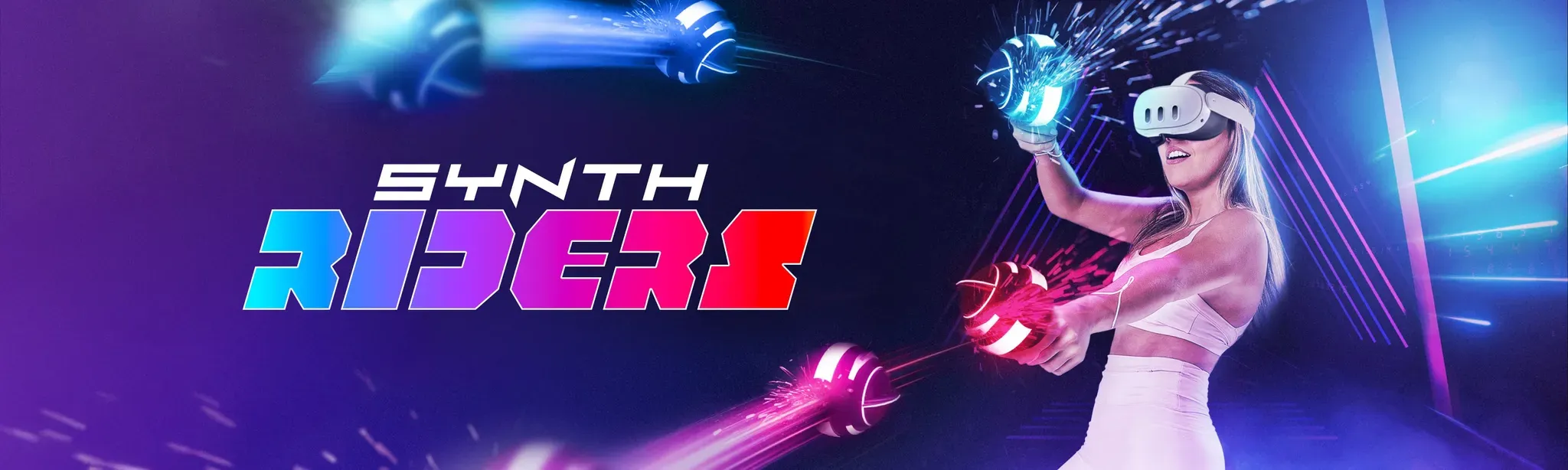
- Synth Riders: a mix of freestyle dance and fitness workout, per Kluge Interactive’s store listing.
- Supernatural - New: its store listing has you punch, duck, squat and swing to the beat in Boxing and Flow workouts.

For these, use wired headphones (the 3.5mm jack on a Quest 3, USB-C or an adapter on either headset), a dongle-based pair, or LE Audio headphones with the toggle on. Standard Bluetooth is the weakest choice.
Fixing leftover delay in Beat Saber and Synth Riders
Both games have a setting to compensate for audio delay. Beat Saber has an Audio Latency slider in its Settings menu; Beat Games fixed a bug with it in update 1.37.3 in August 2024. Synth Riders added an audio latency calibration tool in patch 2.2.1 in March 2020. Calibrate again whenever you switch between wired and Bluetooth headphones, as each path has a different delay.
Quick picks by headset and use
- Quest 3, films: Bluetooth headphones or AirPods; any 3.5mm pair if you have one.
- Quest 3, rhythm and fitness: any 3.5mm wired headphones in the jack.
- Quest 3S, films: Bluetooth headphones or AirPods.
- Quest 3S, rhythm and fitness: USB-C headphones or a USB-C to 3.5mm adapter, or LE Audio headphones with the toggle on.
- Either headset with the Elite strap with battery: use the 3.5mm jack (Quest 3) or Bluetooth, since USB-C headphones do not work while that strap is plugged in.
For more to play once your audio is sorted, see what is on sale and the Quest charts.
