GOLF+ for Beginners 2026: Swings, Free Courses and What to Buy
GOLF+ is one of the most-rated games on the Meta Quest store: its VRDB page shows 4.8 stars from about 53,600 ratings and, on November 22, 2026, #14 on the store’s Top Selling This Week list. It is also in the Meta Horizon+ Games Catalog, and Meta is giving it away with new headsets over the 2026 holidays, so a lot of new Quest owners will open it first. This guide covers what to set up before you swing, how to hit the ball straight, what you get without paying more, and how to choose between Horizon+, course bundles, GOLF+ Pass and Annual Access.

GOLF+ on Quest: price, headsets and the 2026 holiday offers
GOLF+ costs $29.99 on its VRDB page, with a lowest tracked price of $17.99 from January 20, 2026. It comes from Golf Scope Inc., came out on May 28, 2020, runs on Quest 2, Quest Pro, Quest 3 and Quest 3S, and is rated Teen with a Comfortable comfort level. You can play it standing, sitting or room scale, and the store lists in-game purchases. The Meta Horizon Store listing calls it the official VR golf game of the PGA TOUR.
Two different sellers are running holiday offers, and they give different dates:
- Meta’s offer. Meta’s Black Friday and Cyber Monday post of November 20, 2026 says you get GOLF+ with the TPC Sawgrass course and 1,800 in-game credits ($55 total value) with an eligible headset. It applies in the US, Canada, Mexico, Australia, New Zealand, Taiwan, South Korea and Singapore through January 4, 2027. The post does not name which headsets are eligible. The same post lists the Quest 3S at 15% off in the US, from $296.99 for 128GB, through November 30, 2026.
- The GOLF+ Store’s offer. The GOLF+ Store, which sells Quest 3 and Quest 3S headsets itself, says every headset it sells from November 1, 2026 to December 31, 2026 ships with GOLF+ VR installed ($29.99 value) as part of what it calls the Meta Holiday Bundle, so there is nothing to redeem.
If your headset came from somewhere else, check that seller’s terms. The two offers are not the same: only Meta’s mentions TPC Sawgrass and the credits.
How to set up GOLF+ on Quest: floor height, recentering and controls
A few minutes of setup avoids most early frustration.
- Set your floor height. The GOLF+ FAQ says that when a club still feels too short at maximum length, the cause has every time been a boundary (guardian) that was not set up properly. Redo the boundary from the Quest quick settings and set your floor position carefully.
- Recenter on the ball. Hold the club comfortably near the floor and hold A or X. A glowing circle appears, and after about a second you are moved so the club sits behind the ball (GOLF+ FAQ).
- Learn two buttons. The side trigger shows green contours, distance to the hole, the wind gauge and player names, and the trigger moves you to your ball after a shot (GOLF+ help: Controls).
- Clear your space. GOLF+ is a full swing with a controller in your hands, so give yourself room in every direction before you start.
A club attachment is optional. GOLF+ says it works with Deadeye DriVR attachments, which add weight and a real grip to the controller (GOLF+ Store), and its guide to club attachments covers other brands. If you use one, pick it in the game’s Controls settings (GOLF+ FAQ).
How to hit straight shots in GOLF+
GOLF+ reads the swing you actually make, including club path, face angle, speed and tempo, and the ball flight follows (GOLF+ Store). That means a real slice shows up in the game too. Three things help.
Start on Novice. In the round settings, Novice gives you a shot shaper and a putt line and nudges the ball to start on the line you set. Amateur keeps the shot shaper with less help and drops the putt line, and Pro gives no help at all; GOLF+ does not recommend Pro for beginners (GOLF+ help: Round Settings). Front tees, Easy pins and Low wind make early rounds easier still.
Square the club face. The GOLF+ FAQ says a right-handed player whose shots keep going right most likely has an open face at impact. You can close the face in your swing, or adjust the club. GOLF+'s help pages say each club’s Club Settings let you pick a draw or fade preference, change the lie, adjust length and face angle, and test the result with a practice shot (GOLF+ help: Customization).
Fix the swing itself. GOLF+'s slice guide explains that the face angle at impact decides where the ball starts and the gap between face and swing path decides how much it curves. Its fixes are real-golf ones: a slightly stronger grip, feet, hips and shoulders parallel to the target line, the ball a little forward in your stance, and a smooth weight shift to the front foot.
GOLF+ free courses and the Practice Facility
The base game comes with three free courses, and more than 50 real-world courses are sold as add-ons, including Pebble Beach, TPC Sawgrass and St Andrews (Meta Horizon Store). GOLF+'s own beginner post from April 2024 names the three as Alpine, Cliffs and Castle Links, original designs inspired by real courses.
You will also see paid courses without buying them. The same post says Quickplay and Battle Mode pick a course at random, and each week’s TOUR event is played on a set course.
Before your first round, go to Practice on the main menu. The Practice Facility has six activities:
- Warmup: a 15-shot run through your bag.
- Range: hit any club as often as you like, changing wind, lie and elevation.
- Endless: on-course situations.
- Mastery: training modules for each type of shot.
- Combine: a scored test with a leaderboard.
- Putt Putt: an 18-hole putting course.
GOLF+ TOUR, Battle Mode and multiplayer
GOLF+ TOUR. A new weekly event starts every Thursday, typically at 9 AM UTC, with one weekly tournament and seven daily tournaments in the Tournaments menu (GOLF+ help: TOUR). Everyone starts in Bronze 1, the lowest of ten tiers, and Bronze tiers play two 9-hole rounds a week, so it is a manageable first competition. You choose amateur or pro difficulty each week, and rankings are kept separately for each.
Battle Mode. These are three-hole matches (a par 3, a par 4 and a par 5) on a random course against replays of real players’ rounds, with fast greens and random tees, pins and wind (GOLF+ help: Battle Mode). A new set of challenges also arrives each week, with a leaderboard for finishing them in the fewest attempts.
Multiplayer. Choose Multiplayer on the main menu to join a public game from the list, or create a game that is public, open to friends, or invite-only with a room code (GOLF+ help: Create a Game). Scramble supports teams of two to four players (GOLF+ blog), and the store listing adds match play and challenges (Meta Horizon Store). In private one-on-one stroke play you can also wager in-game credits (GOLF+ blog).
What to pay for next: Horizon+, course bundles, GOLF+ Pass or Annual Access
Once you know you like GOLF+, there are four ways to get more courses or keep the game.
Meta Horizon+. VRDB’s Horizon+ page lists GOLF+ in the Games Catalog. Horizon+ costs $7.99 a month or $59.99 a year, and Meta’s blog offers a month free (Meta Quest blog). Catalog games are not yours to keep: once your subscription period ends you lose access to them (Meta Horizon+ Terms). The paid courses are separate add-ons on the game’s store page.
Course bundles and single courses. These are add-ons you buy once from the Meta store. On November 22, 2026, the VRDB page shows:
| Add-on | Courses | Price on VRDB |
|---|---|---|
| Championship Bundle | Four, including Torrey Pines and Harbour Town | $35.99 (25% off $47.96) |
| TOUR Bundle | Scottsdale, Sawgrass, River Highlands | $26.99 (31% off $38.97) |
| Bucket List Bundle | Pinehurst, Kapalua, Lofoten Links | $26.99 (31% off $38.97) |
| Fantasy Bundle | Peaks, Canyons, Ruins (GOLF+ originals) | $26.99 (25% off $35.97) |
| Buffalo Ridge, Fazio Canyons | One course each | $11.99 each |
VRDB shows no end date for the bundle discounts. Buying courses suits a player who wants two or three favorites without a yearly fee.
GOLF+ Pass. This is GOLF+'s own subscription, bought inside the app, and it unlocks all 50+ courses in GOLF+ and everything in the separate GOLF+ Putting app. The GOLF+ Store gives the price as $99.99 a year, with a first-year offer of $49.99 (GOLF+ Store). UploadVR reported a monthly option at $9.99 on October 16, 2026, and GOLF+ said in September 2026 that players who have never had the Pass get a seven-day free trial. If the Pass lapses, you lose the full library and GOLF+ Putting until you renew or, for courses, buy them individually (GOLF+ help: Pass).
GOLF+ Annual Access. This is a single purchase from the GOLF+ Store that gives 12 months of every course in GOLF+, including courses released during those 12 months, and full GOLF+ Putting. The product page says it does not renew, has no free trial, and is not refundable when bought on its own. Check the current price on that page before you buy. The store’s VR shop page says the 12 months start the first time you open GOLF+ VR or GOLF+ Putting after activating it, not on the day you buy it, which makes it work as a gift.
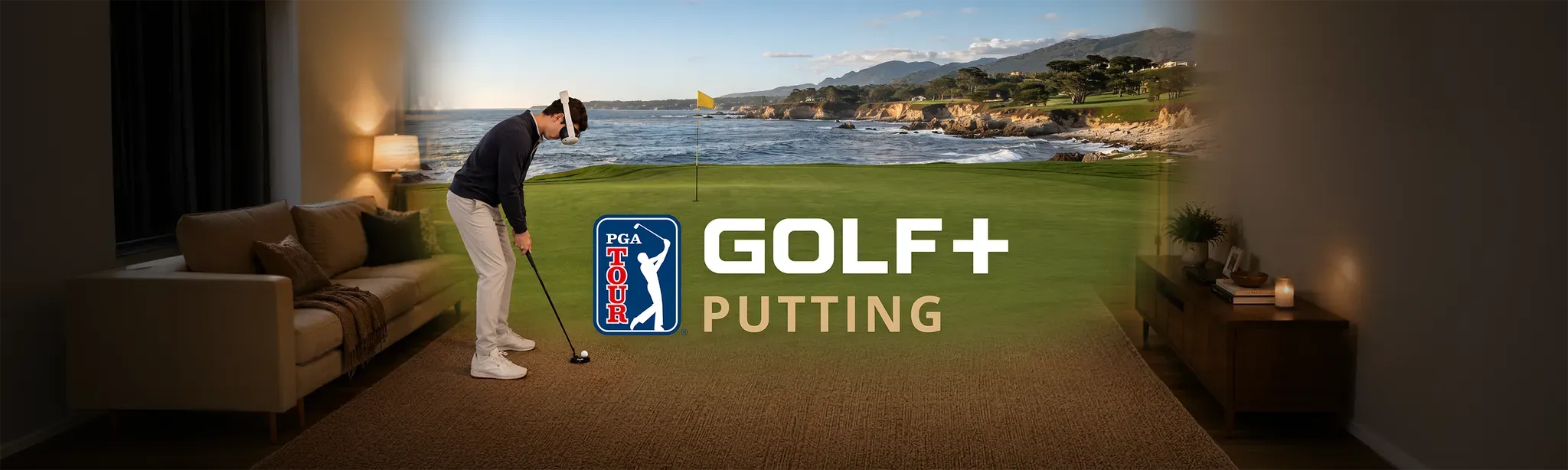
GOLF+ Putting itself is a free, hands-only app for Quest 3 and Quest 3S, released on November 2, 2026 according to its VRDB page. You putt a real ball with your own putter on a virtual green laid over your floor, and it needs either the GOLF+ Pass (its VRDB page says “Requires Quest 3/3S and GOLF+ PASS”) or Annual Access (GOLF+ Store) to play.
Which GOLF+ option fits you
- You got GOLF+ free with a headset: play the three free courses, the Practice Facility and the TOUR for a few weeks before spending anything.
- You already pay for Horizon+: play GOLF+ from the catalog, and buy a bundle only if you want a course to keep.
- You want two or three famous courses: a discounted bundle at $26.99 or $35.99 costs less than a year of the Pass.
- You want every course, or GOLF+ Putting: the Pass covers both, at $49.99 for the first year, with a trial first if you are eligible. Annual Access covers both too, for one payment that never renews.
- You are buying for another golfer: Annual Access does not start until they first open the app, and nothing renews.
For other games for your new headset, see VRDB’s Meta Quest 3 page, the daily store charts and the current Quest sales.
